
How to Automatically Turn Facebook Ad Leads into Jobber Requests
Learn how to automatically turn Facebook Ad leads into Jobber requests using Zapier. This five-minute automation moves new leads and their information directly into Jobber, helping pooper scooper businesses eliminate manual entry and reduce the chance of paid leads getting forgotten.
By Poop Scoop Academy
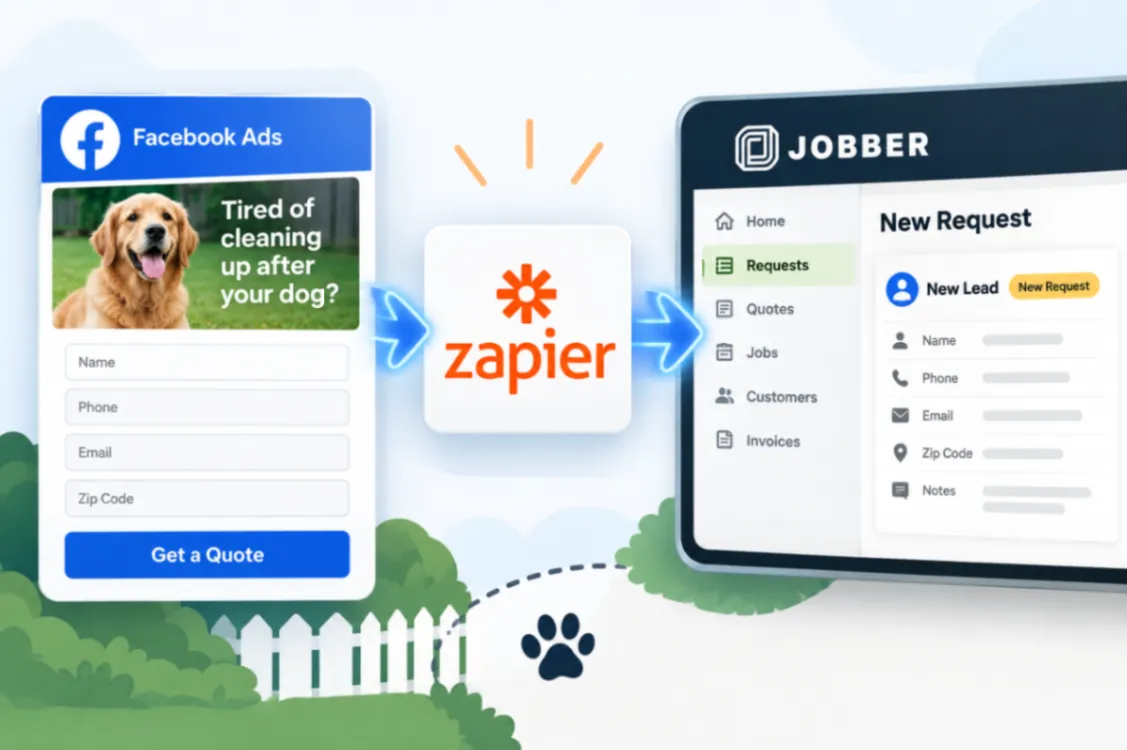
You spend money running Facebook Ads for your pooper scooper business. Someone sees the ad, decides they’re tired of cleaning up after their dog, and fills out your lead form.
Then their information sits inside Facebook waiting for you to do something with it.
That’s the weak point this automation fixes.
By connecting Facebook Lead Ads to Jobber through Zapier, each new Facebook lead can automatically become a Jobber request, with the lead’s information mapped into the request. You don’t have to remember to find the lead and enter everything into Jobber yourself.
Why Automatically Sending Facebook Leads to Jobber Matters
The value of a lead isn’t simply that someone filled out your form. The value comes from turning that person into a paying customer.
The longer a lead sits untouched, the greater the opportunity for that person to lose interest, forget about the request, or contact another company.
That makes speed important, but there’s another problem: manual entry doesn’t scale.
A few Facebook leads are easy to copy into Jobber. If your ads start producing leads consistently, you’re now paying for advertising that also creates administrative work.
You have to find each lead, open Jobber, create the request, and copy the customer’s information over.
That also creates another opportunity for something to go wrong. A lead gets missed. A phone number is entered incorrectly. Someone assumes another employee already handled it.
Zapier removes that manual handoff.
The basic pipeline becomes:
Facebook Lead Ad → Zapier → Jobber Request
Facebook generates the opportunity. Zapier transfers it. Jobber becomes the place where the lead can actually be handled.
That’s a much better system for a pooper scooper business where you may spend most of the workday driving between customers and servicing yards rather than sitting behind a computer.
What the Facebook Lead Ads to Jobber Video Walks You Through
The source video shows the actual five-minute setup, including:
- Connecting Facebook Lead Ads to Jobber through Zapier so the two systems can pass lead information automatically.
- Using each new Facebook lead to trigger the automation rather than relying on someone to manually check for new leads.
- Creating a Jobber request automatically when that Facebook lead comes in.
- Mapping the Facebook lead information into the Jobber request fields so the information collected by your ad actually follows the lead into your job system.
- Building the complete Facebook-to-Jobber pipeline so new advertising leads have somewhere useful to go immediately.
- Setting up the automation quickly without turning a relatively simple connection into a major technical project.
The video is the tutorial itself. Use it for the exact visual walkthrough rather than trying to recreate specific settings from written instructions.
Is This for You?
This setup makes sense if you’re running Facebook Lead Ads, using Jobber, and want to connect them with Zapier. It’s especially valuable if your ads are producing enough leads that manually transferring every inquiry is becoming repetitive or unreliable.
Even if your lead volume is still relatively small, building the connection now means your administrative workload doesn’t have to increase at the same rate as your advertising.
The goal isn’t automation for the sake of automation. It’s making sure the leads you’re paying for reliably reach the system where you can actually turn them into customers.
For the complete five-minute setup and field-mapping walkthrough, watch the source video:
Watch How to Automatically Turn Facebook Ad Leads into Jobber Requests
Don’t Want to Build It Yourself?
You can absolutely build automations like this yourself. But if you’d rather focus on running your pooper scooper business than building, testing, and maintaining workflows, HomeFlow Assistant gives home-service businesses another option.
HomeFlow Assistant is designed around automating repetitive parts of your business, including lead follow-up, reactivation, alerts, and other workflows. Depending on the tools you’d otherwise need to piece together yourself, you may be able to get a much more complete automation system for about the same overall cost, without having to build it all from scratch.